> ## Documentation Index
> Fetch the complete documentation index at: https://docs.creatify.ai/llms.txt
> Use this file to discover all available pages before exploring further.
# Quickstart
> Get your API credentials and start making requests in minutes
Get up and running with the Creatify API in 3 simple steps:
Choose an [API plan](/billing) that fits your needs. API access requires an active subscription (Starter, Pro, or Enterprise).
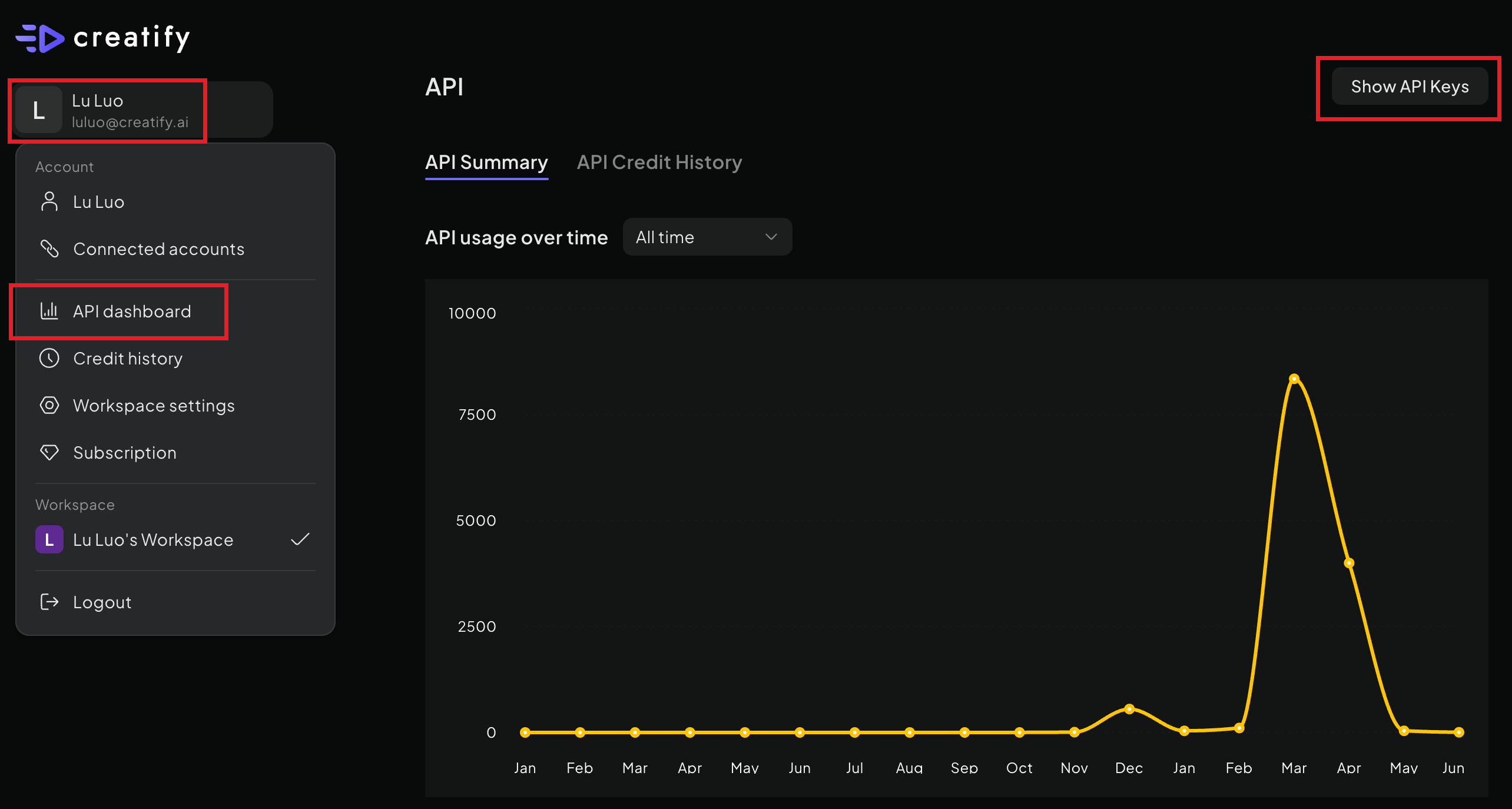
Log into your [Creatify account](https://app.creatify.ai), click your account name in the top-left corner, and select **API Dashboard**. Click **Show API Keys** to reveal your `X-API-ID` and `X-API-KEY`.
 Include your credentials in the request headers and start generating videos:
```bash theme={null}
curl --request POST \
--url https://api.creatify.ai/api/links/ \
--header 'Content-Type: application/json' \
--header 'X-API-ID: your-api-id' \
--header 'X-API-KEY: your-api-key' \
--data '{
"url": "https://example.com/product-page"
}'
```
**Protect Your API Credentials** — Your `X-API-KEY` acts like a password. Keep it secret and never expose it in client-side code. If compromised, reset your key immediately from the API settings page.
## Next Steps
Transform any product URL into engaging video ads automatically.
Create ultra-realistic AI avatar videos with our latest Aurora model.
Generate talking avatar videos with text-to-speech and lip synchronization.
Understand our subscription plans and credit-based pricing model.
Include your credentials in the request headers and start generating videos:
```bash theme={null}
curl --request POST \
--url https://api.creatify.ai/api/links/ \
--header 'Content-Type: application/json' \
--header 'X-API-ID: your-api-id' \
--header 'X-API-KEY: your-api-key' \
--data '{
"url": "https://example.com/product-page"
}'
```
**Protect Your API Credentials** — Your `X-API-KEY` acts like a password. Keep it secret and never expose it in client-side code. If compromised, reset your key immediately from the API settings page.
## Next Steps
Transform any product URL into engaging video ads automatically.
Create ultra-realistic AI avatar videos with our latest Aurora model.
Generate talking avatar videos with text-to-speech and lip synchronization.
Understand our subscription plans and credit-based pricing model.