> ## Documentation Index
> Fetch the complete documentation index at: https://docs.creatify.ai/llms.txt
> Use this file to discover all available pages before exploring further.
# Overview
> API that generates ultra-realistic audio voiceovers from text using AI voices and accents.
## 🚀 Introduction
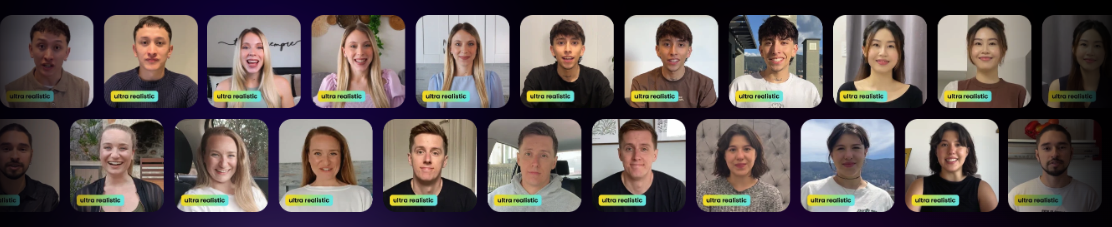
The **Text to Speech API** turns written scripts into studio-quality voiceovers using Creatify’s AI voices. Perfect for narration, educational content, promotional videos, and more — with support for natural-sounding accents and expressive delivery.
 ***
## ⚙️ Quickstart Guide
### ✅ Prerequisites
Before you begin, ensure you have:
* A [Creatify](https://app.creatify.ai) account with **API access**
* Your **API credentials** (see [Quickstart](/quickstart))
***
## 🧠 Step 1: Choose a Voice Accent
Call the [Get Voices API](/api-reference/voices/get-apivoices) to retrieve a list of available voices and their accents.
Each voice includes an `accents` list — select one of the `id` values from that list and use it as the `accent` in your TTS request.
### 🎧 Example Response from `GET /api/voices/`
```json theme={null}
[
{
"name": "Fatima",
"gender": "female",
"accents": [
{
"id": "7a258b67-e1d3-4025-8904-8429daa3a34d",
"accent_name": "American English accent",
"preview_url": "https://d35ghwdno3nak3.cloudfront.net/accent_preview_new_/el-689d6bc2-c93e-4a50-a36b-3b171c729843_s.mp3"
}
]
}
]
```
***
## 📝 Step 2: Submit a TTS Generation Request
Use this endpoint to generate voiceover audio from a script.
```bash Example Request theme={null}
curl --request POST \
--url https://api.creatify.ai/api/text_to_speech/ \
--header 'Content-Type: application/json' \
--header 'X-API-ID: your-api-id' \
--header 'X-API-KEY: your-api-key' \
--data '{
"script": "Welcome to Creatify dot AI!",
"accent": "7a258b67-e1d3-4025-8904-8429daa3a34d"
}'
```
```json Example Response theme={null}
{
"id": "819916b3-ec00-4baa-a6be-18635ad97d53",
"script": "Welcome to Creatify dot AI!",
"accent": "7a258b67-e1d3-4025-8904-8429daa3a34d",
"webhook_url": null,
"output": null,
"media_job": "6d22b88a-e408-435b-9065-0d565003754b",
"is_hidden": false,
"status": "pending",
"failed_reason": null,
"created_at": "2025-05-21T22:59:17.198342-07:00",
"updated_at": "2025-05-21T22:59:17.331673-07:00"
}
```
> ⚠️ Save the `id` — you’ll need it to check the generation status.
***
## ⏳ Step 3: Check Audio Generation Status
Use the ID returned from your generation request to retrieve the final voiceover file.
```bash Example Request theme={null}
curl --request GET \
--url https://api.creatify.ai/api/text_to_speech/819916b3-ec00-4baa-a6be-18635ad97d53/ \
--header 'X-API-ID: your-api-id' \
--header 'X-API-KEY: your-api-key'
```
```json Example Response theme={null}
{
"id": "819916b3-ec00-4baa-a6be-18635ad97d53",
"script": "Welcome to Creatify dot AI!",
"accent": "7a258b67-e1d3-4025-8904-8429daa3a34d",
"webhook_url": null,
"output": "https://d35ghwdno3nak3.cloudfront.net/user/18165/2025-05-21/8896-req-irBrUV4MnMKznFwhTIeN-0-s.mp3",
"media_job": "6d22b88a-e408-435b-9065-0d565003754b",
"is_hidden": false,
"status": "done",
"failed_reason": null,
"created_at": "2025-05-21T22:59:17.198342-07:00",
"updated_at": "2025-05-21T22:59:17.331673-07:00"
}
```
> ⏳ Once `status` is `done`, download the voiceover from the `output` field.
***
## 🎯 Summary
| Step | Endpoint |
| ------------- | ----------------------------------------------------------------------------- |
| Get Voices | `GET /api/voices/` |
| Create Audio | `POST /api/text_to_speech/` |
| Check Status | `GET /api/text_to_speech/{id}/` |
| API Reference | [Text to Speech Reference](/api-reference/text-to-speech/post-text-to-speech) |
***
## 🤝 Need Help?
If you run into any issues, check out our [API Reference](/api-reference) or contact [api@creatify.ai](mailto:api@creatify.ai).
***
## ⚙️ Quickstart Guide
### ✅ Prerequisites
Before you begin, ensure you have:
* A [Creatify](https://app.creatify.ai) account with **API access**
* Your **API credentials** (see [Quickstart](/quickstart))
***
## 🧠 Step 1: Choose a Voice Accent
Call the [Get Voices API](/api-reference/voices/get-apivoices) to retrieve a list of available voices and their accents.
Each voice includes an `accents` list — select one of the `id` values from that list and use it as the `accent` in your TTS request.
### 🎧 Example Response from `GET /api/voices/`
```json theme={null}
[
{
"name": "Fatima",
"gender": "female",
"accents": [
{
"id": "7a258b67-e1d3-4025-8904-8429daa3a34d",
"accent_name": "American English accent",
"preview_url": "https://d35ghwdno3nak3.cloudfront.net/accent_preview_new_/el-689d6bc2-c93e-4a50-a36b-3b171c729843_s.mp3"
}
]
}
]
```
***
## 📝 Step 2: Submit a TTS Generation Request
Use this endpoint to generate voiceover audio from a script.
```bash Example Request theme={null}
curl --request POST \
--url https://api.creatify.ai/api/text_to_speech/ \
--header 'Content-Type: application/json' \
--header 'X-API-ID: your-api-id' \
--header 'X-API-KEY: your-api-key' \
--data '{
"script": "Welcome to Creatify dot AI!",
"accent": "7a258b67-e1d3-4025-8904-8429daa3a34d"
}'
```
```json Example Response theme={null}
{
"id": "819916b3-ec00-4baa-a6be-18635ad97d53",
"script": "Welcome to Creatify dot AI!",
"accent": "7a258b67-e1d3-4025-8904-8429daa3a34d",
"webhook_url": null,
"output": null,
"media_job": "6d22b88a-e408-435b-9065-0d565003754b",
"is_hidden": false,
"status": "pending",
"failed_reason": null,
"created_at": "2025-05-21T22:59:17.198342-07:00",
"updated_at": "2025-05-21T22:59:17.331673-07:00"
}
```
> ⚠️ Save the `id` — you’ll need it to check the generation status.
***
## ⏳ Step 3: Check Audio Generation Status
Use the ID returned from your generation request to retrieve the final voiceover file.
```bash Example Request theme={null}
curl --request GET \
--url https://api.creatify.ai/api/text_to_speech/819916b3-ec00-4baa-a6be-18635ad97d53/ \
--header 'X-API-ID: your-api-id' \
--header 'X-API-KEY: your-api-key'
```
```json Example Response theme={null}
{
"id": "819916b3-ec00-4baa-a6be-18635ad97d53",
"script": "Welcome to Creatify dot AI!",
"accent": "7a258b67-e1d3-4025-8904-8429daa3a34d",
"webhook_url": null,
"output": "https://d35ghwdno3nak3.cloudfront.net/user/18165/2025-05-21/8896-req-irBrUV4MnMKznFwhTIeN-0-s.mp3",
"media_job": "6d22b88a-e408-435b-9065-0d565003754b",
"is_hidden": false,
"status": "done",
"failed_reason": null,
"created_at": "2025-05-21T22:59:17.198342-07:00",
"updated_at": "2025-05-21T22:59:17.331673-07:00"
}
```
> ⏳ Once `status` is `done`, download the voiceover from the `output` field.
***
## 🎯 Summary
| Step | Endpoint |
| ------------- | ----------------------------------------------------------------------------- |
| Get Voices | `GET /api/voices/` |
| Create Audio | `POST /api/text_to_speech/` |
| Check Status | `GET /api/text_to_speech/{id}/` |
| API Reference | [Text to Speech Reference](/api-reference/text-to-speech/post-text-to-speech) |
***
## 🤝 Need Help?
If you run into any issues, check out our [API Reference](/api-reference) or contact [api@creatify.ai](mailto:api@creatify.ai).